Audio guide demo for trade show booths
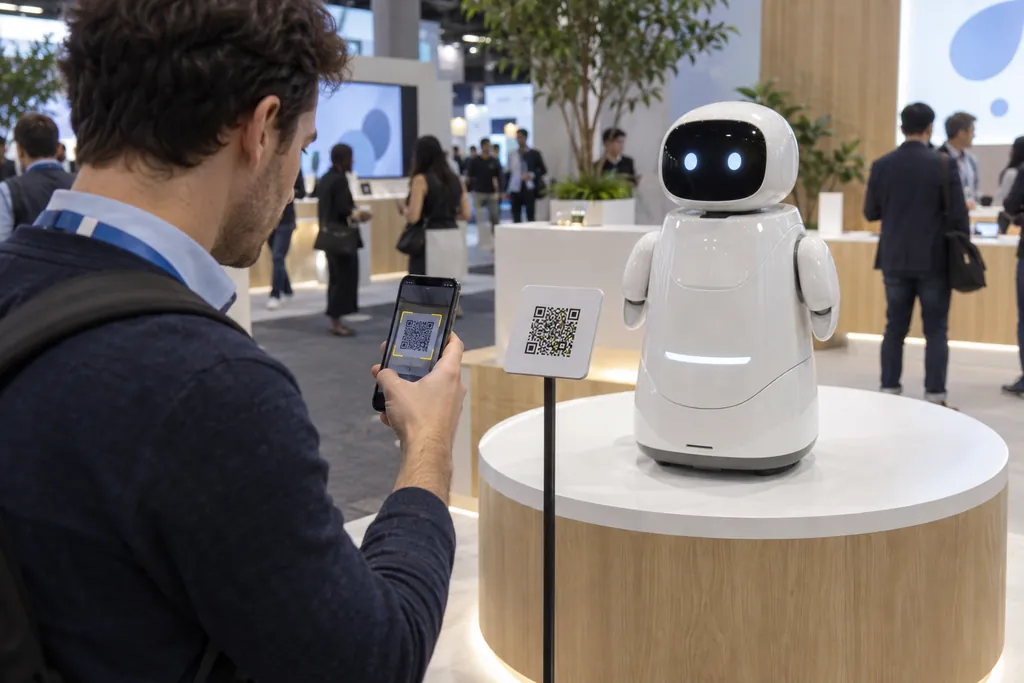
Take out your phone and scan the QR code
This is an audio guide demo you can use as-is at an international trade show booth. On this page you can see what visitors see, how operators create and edit, and hear the voices in five languages.
The demo booth and exhibits are fictional, made for this explanation.
Visitor screen: Scan, and it plays right away in the phone's language
The phone frame shows the real visitor screen. Tap a stop to listen, or switch the language.
- 1Opens the moment you scanScan the QR code with the phone's built-in camera and it opens in the browser. No app, no sign-up, no login.
- 2In the phone's language, automaticallyIf the phone is set to English it plays in English; if it's set to French, in French. The language button at the top switches it at any time.
- 3Listen, read along, move to the next exhibitSubtitles follow the audio, and visitors can rewind 10 seconds and change the speed or text size. On the booth page, [Play all] plays the exhibits one after another.
For languages without their own screen text, such as French, buttons appear in English while the commentary and subtitles are in that language.
Voice samples: One voice, five languages
These are samples of the same booth welcome message in each language. Listen and judge for yourself whether it sounds as natural as a person reading.
| Language | Female voice | Male voice |
|---|---|---|
| 한국어 | ||
| English | ||
| 简体中文 | ||
| Français | ||
| Español |
How we made it
- Voice
- AI voices Sua (female) and Myeongho (male) — one voice reads all five languages
- Tone
- AI style “Explainer channel narration”
- Script
- Same content in each language — each language's script can be edited separately
- Label
- The visitor screen and the audio files are labeled as AI-generated
Operator screen: Make it from a script, and fix only the sentences that change
Audio is made in the studio, and languages, guide pages and QR codes are managed in the QR settings of your storage. Below are the real operator screens with this demo loaded.

Paste the exhibit script, choose a voice and a speaking style, then press [Generate] to listen right away.

When a word changes, you fix that sentence and remake only it. The other sentences stay as they are, so nothing has to be redone, and remaking the same sentence doesn't use up characters.

Put the saved audio in the order you choose, and it becomes the booth's guide page. Photos, titles, a link button and print-ready QR codes are set here too.

Choose English, Chinese, French and Spanish, and the script is translated and voiced in the same voice. This window also shows how many characters you have left this month.

Listen to each language with ▶. Tap the pencil to edit the translation, title or voice, and only that language is remade. The Korean and other language versions stay as they are.
From making to editing: From show prep to edits during the show
Once the scripts are set, the rest is fast. Even after printing, the commentary can keep being edited.
| Step | What happens | Time |
|---|---|---|
| Prepare scripts | Prepare a commentary script for each exhibit. Around 500 Korean characters run about 1 minute 30 seconds. | Depends on your script schedule |
| Voice Creation | Paste the script, choose a voice and a speaking style, and generate. | A few minutes per stop |
| Make five languages | Choose the languages and the translation and audio in the same voice are made in one go. | Same day |
| Review and partial edits | Edit and remake only the sentences that need it. | Right after the edit |
| Print the QR codes | Download print-ready QR codes and put them on panels and stands. With fixed QR codes, you keep using them even when the content changes later. | Depends on printing |
| Urgent edits right before or during the show | Just swap the audio linked to the fixed QR code. No reprinting. | Live the moment you change it |
| After the show | Check play counts for each QR code to see which exhibits were heard most. The audio you made can be kept as files. | — |
Cost: Pick a plan and start making it yourself
Making this demo (5 guides × 5 languages) used 10,666 characters. Everything is made within your plan's monthly characters, and editing a script only uses the added characters.
Characters used in this demo
- 한국어
- 1,224 characters
- English
- 2,648 characters
- 简体中文
- 825 characters
- Français
- 3,052 characters
- Español
- 2,917 characters
- Total
- 10,666 characters
| Plan | Monthly characters | Left after this demo | Guide pages |
|---|---|---|---|
| STARTERFits this demo | 25,000 characters | 14,334 characters | 1 |
| BASIC | 70,000 characters | 59,334 characters | 1 |
| ADVANCED | 140,000 characters | 129,334 characters | 10 |
| ENTERPRISE | 400,000 characters | 389,334 characters | 30 |
Making and listening to audio is free. To play it to visitors through a QR code, you need a plan.
Trade show audio guide: Frequently Asked Questions
Have more questions before you start? Ask our support team.
Can you make all five languages?
Yes. You can make 35 languages, including English, Chinese, French and Spanish, and as in this demo, the same AI voice can speak all five.
Can I fix just one word or sentence?
Yes. When you edit a sentence in the studio, only that sentence is regenerated, so the whole recording is never remade. For other languages, edit the translation and remake just that language.
Can I make changes right before or during the show?
Yes. If you print fixed QR codes, the prints stay where they are and you only swap the linked audio. Visitors hear the new commentary from the moment you change it.
Can I also get the audio as files?
Yes. Audio made in the studio can be downloaded as MP3 or WAV, and you can also export sentence-by-sentence files and subtitles (SRT).
Do visitors need to install an app?
No. They scan the QR code with their phone's built-in camera and it plays right away in the browser. No sign-up or login.
Is the audio labeled as AI-generated?
Yes. The visitor screen notes that the audio was made with AI, and the audio files also carry information that they were AI-generated.
How long does it take to make?
Once the script is ready, each guide takes a few minutes to voice, and other languages are translated and voiced in one go on the same day when you pick them.
How much does it cost?
It's a self-serve service: you pick a plan, pay and make it yourself. This demo (5 guides × 5 languages) uses 10,666 characters, which fits within the STARTER plan (25,000 characters a month), and when you edit a script only the added characters are used.
Start making it yourself today
With just a script you can do everything yourself, from making the audio to printing the QR codes. You can make and listen to guide audio for free.
Learn about the QR audio guide · Customer Support · Phone 02-430-7626